SEO के लिए Google Sheets: Scale होने वाले Workflows तब useful है जब यह real reader या operator को better decision लेने में help करे, सिर्फ isolated SEO tactic add न करे। Arjns-style publishing में page problem explain करे, practical workflow दिखाए, risks बताए और result review करने का repeatable तरीका दे। भरोसेमंद SEO spreadsheet raw data सुरक्षित रखती है, stable keys उपयोग करती है, calculation को approval से अलग रखती है, errors दिखाती है और controlled output देती है। Scale, refresh, permissions या dependencies review को अविश्वसनीय बनाएँ तो code या database अपनाएँ।
ऐसे formulas लिखें जो safely और visibly fail हों
Safe SEO sheet missing lookup को plausible blank नहीं बनाती और approval के बिना rows publish नहीं करती। Raw imports बचाएँ, helper columns में normalize करें, stable keys पर join करें और exceptions QA में भेजें। Visible blanks के लिए `=IF(A2="","MISSING INPUT",LOWER(TRIM(CLEAN(A2))))`, missing keys के लिए exact-match `XLOOKUP` के साथ `REVIEW: NOT FOUND`, और guarded ratio के लिए `=IF(OR(B2="",B2=0),"N/A",A2/B2)` उपयोग करें। Normal, blank, duplicate, missing, malformed और error rows test करें। Export से पहले raw rows, unique keys, duplicates, unmatched, approvals और output rows reconcile करें।
Workbook को controlled handoff की तरह design करें
Reviewer हर exported value को dated raw input, formula version और explicit human decision तक trace कर सके। README tab में owners, refresh steps, protected ranges, definitions और output acceptance test रखें।
- Raw, reference, calculation, QA, approved-output और change-log tabs अलग रखें ताकि नया import decisions overwrite न करे।
- Full-column formulas से large sheets slow हों तो named/bounded ranges उपयोग करें और बड़े formula changes से पहले values-only snapshot archive करें।
- Quotas, concurrent edits, permissions, scheduled refreshes या dependency chains बार-बार review तोड़ें तो workflow code या database में ले जाएँ।
तय करें कि spreadsheet सही system है या नहीं
सबसे पहले user need और search engine signal को अलग करें। User need वह है जो page solve करता है। Search signal वह है जिससे crawlers और ranking systems solution समझते हैं। अगर page सिर्फ signal chase करता है तो thin हो जाता है। अगर reader की help करता है लेकिन structure hide करता है तो discover होना मुश्किल हो सकता है। सही answer clear page, crawlable HTML, precise metadata, useful examples, internal links और measurable follow-up है।
Controlled SEO workbook बनाएँ
- Formulas बनाने से पहले decision, owner, inputs, refresh schedule, approved output और acceptance checks तय करें।
- Workbook को README, raw imports, reference data, working calculations, QA, approved output और change log tabs में अलग रखें।
- Row position की जगह normalized canonical URL या query, page और date जैसे stable key चुनें।
- Original values सुरक्षित रखते हुए helper columns में data normalize करें और destructive replacements से बचें।
- Exact-match joins उपयोग करें, unmatched values स्पष्ट दिखाएँ और error तभी छिपाएँ जब fallback अर्थपूर्ण हो।
- Validation, protected formula ranges, named ranges, filter views, decision owner, status और review date जोड़ें।
- Blanks, duplicates, invalid statuses, redirect chains, multiple primary keywords और conflicting decisions के QA counts बनाएँ।
- केवल approved rows export करें, dated snapshot archive करें और volume, quotas, permissions या automation अविश्वसनीय होने पर migrate करें।
- Publish करने से पहले expected search intent, page promise और verification method document करें।
- Mobile पर rendered page review करें क्योंकि cramped layouts, hidden tables या broken controls good content को poor experience बना सकते हैं।
Visible failure states वाले safe formulas
Text normalize करने के लिए `=LOWER(TRIM(CLEAN(A2)))`, duplicates के लिए `=COUNTIF($B$2:$B,B2)>1`, missing joins स्पष्ट रखने के लिए `=IFNA(XLOOKUP(B2,Reference!A:A,Reference!B:B),"REVIEW: missing")` और title QA के लिए `=IF(C2="","MISSING",IF(LEN(C2)>60,"LONG","OK"))` उपयोगी हैं। Redirect sheet में old URL, final URL, statuses, hops, duplicates, approver और tested date रखें।
- Final article से पहले page brief लिखें।
- Primary query group और reader का next action name करें।
- सिर्फ draft data नहीं, rendered page check करें।
- Verification date record करें ताकि later reporting में context रहे।
Spreadsheet QA और approval checklist
- Title, H1, summary और first section same practical outcome describe करें।
- Page में examples या decision rules हों जिन्हें reader immediately apply कर सके।
- Important links crawlable anchors हों और natural context में हों।
- Sitemap page को तभी include करे जब वह live और canonical हो।
- Page ऐसे claims avoid करे जो visible content या data से verify नहीं होते।
- Editor के लिए review date, publish date और next measurement point clear हों।
Quotas, permissions और scale limits
Decision rules work को honest रखते हैं। Rule page को SEO opinions के collection में बदलने से बचाता है और दूसरे reviewer के लिए review आसान करता है। Rule बताए कि evidence weak हो तो क्या करना है, page thin हो तो क्या करना है, signals conflict करें तो क्या करना है, और कब better data का wait करना safest है।
- अगर page clear reader need answer नहीं कर सकता, उसे indexable content की तरह publish न करें।
- अगर technical signal visible content से conflict करता है, visible content fix करें या signal remove करें।
- अगर section सिर्फ title को अलग words में repeat करता है, उसे example, checklist या caveat से replace करें।
- अगर change verify नहीं हो सकता, उसे completed fix की जगह editorial assumption mark करें।
- Future scheduled page को publish date से पहले public links और sitemaps से बाहर रखें।
Data problems छिपाने वाले formulas
- Auditable source tab बचाने की जगह imported raw data edit करना।
- हर formula को blank fallback में लपेटकर missing या broken joins छिपाना।
- Live import formulas को production crawler या monitoring system बनाना।
- Sensitive exports वाली spreadsheet को unrestricted share करना।
- Scale और concurrent editing से workflow अविश्वसनीय होने के बाद भी spreadsheet में रखना।
Inputs, exceptions और outputs reconcile करें
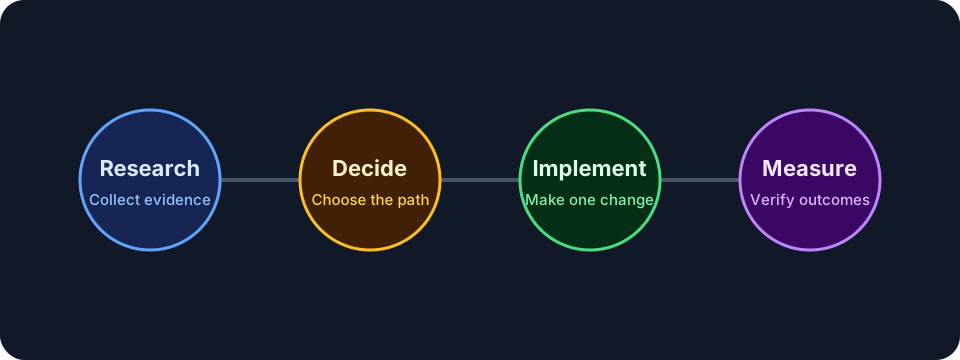
इस work को short feedback loop से measure करें: crawl status, sitemap visibility, intended query group impressions, snippets change होने पर clicks/CTR, page engagement और reader related guide या tool तक जाता है या नहीं। Single day data से success judge न करें; search systems, crawling और reporting अलग timelines पर move करते हैं।
Spreadsheet QA और approval checklist: release checks
- Canonical URL, title, meta description, headings और language alternates confirm करें।
- Mobile और desktop पर page open करके spacing, tables, diagrams और code blocks check करें।
- Page sitemap में तभी appear करे जब वह live हो।
- Images में useful alt text हो और layout shift न create करें।
- Related guides से internal links destination page public होने के बाद add करें।
Recommendation: raw data और approvals बचाएँ: AI review prompt
इस prompt को real URL, draft या crawl export के साथ use करें। Output को review करके ही publish करें, क्योंकि SEO में context और business priority दोनों जरूरी होते हैं।
Careful SEO implementation reviewer की तरह काम करें.
Page/topic: SEO के लिए Google Sheets: Scale होने वाले Workflows
URL or draft: [URL or content]
Search intent: [intent]
Review करें: crawlability, title, meta description, headings, content depth, examples, internal links, structured data/canonical needs, mobile UX और measurement plan.
Exact page sections के साथ prioritized fixes return करें.
अक्सर पूछे जाने वाले सवाल
SEO के लिए कौन-से formulas सबसे उपयोगी हैं?
Text cleanup, exact lookups, conditional counts, filters, regex extraction, uniqueness checks और स्पष्ट error handling।
क्या Google Sheets भरोसेमंद website crawler है?
यह छोटे samples देख सकती है, लेकिन dependable crawler या monitoring system नहीं है।
Collaborators को formulas तोड़ने से कैसे रोकें?
Inputs और calculations अलग रखें, ranges protect करें, validation/filter views उपयोग करें और केवल approved output publish करें।
Workflow को दूसरी व्यवस्था में कब ले जाएँ?
जब volume, scheduled refreshes, concurrent edits, permissions, auditability या dependencies बार-बार failures पैदा करें।
Recommendation: raw data और approvals बचाएँ
अच्छा SEO page सिर्फ keyword optimized नहीं होता। वह crawlable, useful, readable और honest होता है। Publish करने से पहले rendered page, snippet fields, internal links, indexability और reader action को साथ में check करें।
Page को तब revisit करें जब search intent बदले, product या platform बदले, Search Console नए query groups दिखाए, या users बार-बार clarification मांगें। Content refresh page को ज्यादा accurate और useful बनाए; यह cosmetic date change नहीं होना चाहिए।