On-page SEO is the page-level work that helps a reader and a search engine understand exactly what a page is about. It includes the visible content, the title, meta description, headings, image context, internal links, URL, and the final rendered HTML. The goal is not to repeat a keyword many times. The goal is to make the page satisfy a clear search intent better than a thin or confusing alternative.
What this page must do
Start by naming the one job of the page. A guide page should teach, a comparison page should help decide, a product page should explain fit and proof, and a tool page should let the user complete an action quickly. Once that job is clear, every on-page element should support it: the H1 should match the promise, the introduction should confirm the reader is in the right place, sections should answer the next obvious questions, and links should move the reader to deeper supporting pages.
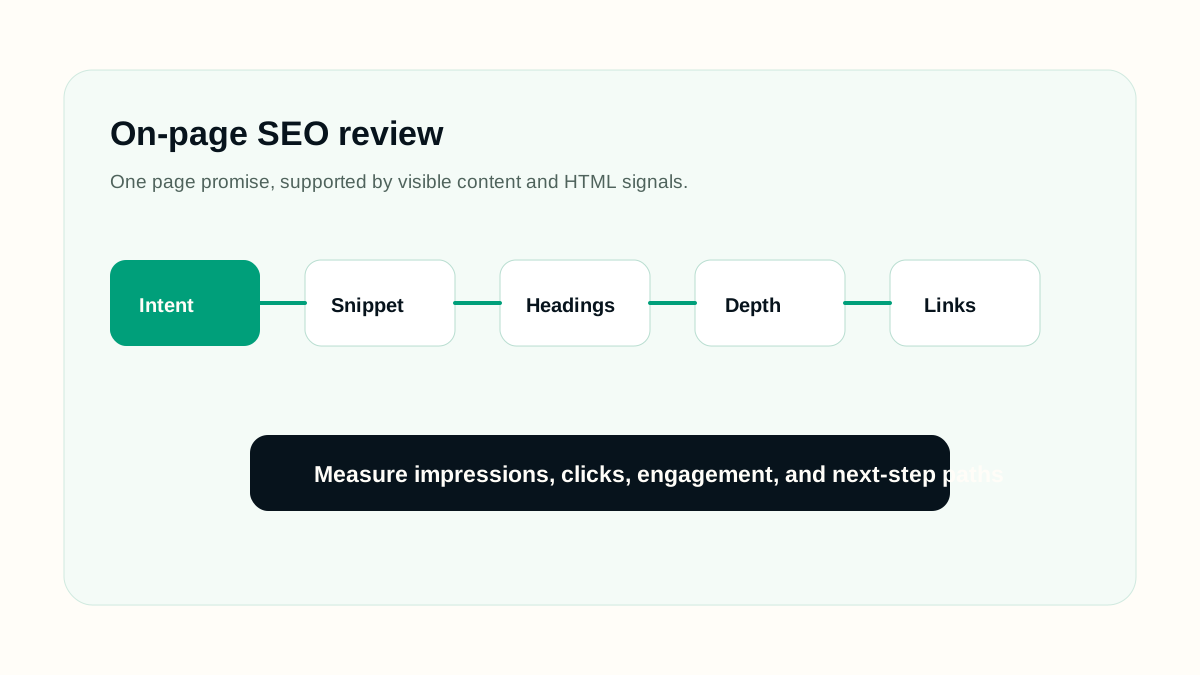
A practical workflow
- Map the primary query to one search intent: learn, compare, fix, choose, or complete a task.
- Write a unique title that describes the page without stuffing repeated phrases.
- Use one clear H1, then section headings that answer the reader's next questions in order.
- Place the practical answer early, then add examples, caveats, and edge cases below it.
- Add internal links only where the next guide or tool genuinely helps the reader continue.
- Check the rendered HTML, not just the editor view, before treating the page as ready.
Working example
Imagine the page is being prepared for a real publishing queue. The editor has one URL, one primary intent, a sitemap rule, and a follow-up date. For on-page seo guide, the useful work is to decide what must be visible before launch, what can be measured after launch, and which signals would prove that the page is helping users instead of only adding another URL.
- Write the page brief before writing the final article.
- Name the primary query group and the reader's next action.
- Check the rendered page, not only the draft data.
- Record the verification date so later reporting has context.
Implementation checklist
- Title and H1 describe the same topic, but they do not need to be identical.
- Meta description summarizes the useful outcome, not a generic marketing claim.
- The first screen tells the reader what they will learn or complete.
- Each section adds a new answer, example, decision rule, or warning.
- Images have descriptive alt text and sit near the text they explain.
- The page links to related SEO guides such as keyword research, content optimization, and internal linking.
Decision rules
Use decision rules to keep the work honest. A rule prevents the page from becoming a collection of SEO opinions and makes the review easier for another person. The rule should explain what to do when evidence is weak, when a page is too thin, when a signal conflicts with another signal, and when the safest answer is to wait for better data.
- If the page cannot answer a clear reader need, do not publish it as indexable content.
- If the technical signal conflicts with visible content, fix the visible content or remove the signal.
- If a section only repeats the title in different words, replace it with an example, checklist, or caveat.
- If a change cannot be verified, mark it as an editorial assumption rather than a completed fix.
- If a future page is scheduled, keep it out of public links and sitemaps until the publish date.
Common mistakes
- Writing a title for a crawler while the visible page answers a different reader need.
- Adding long introductions before giving the practical answer.
- Using headings as decoration instead of a logical outline.
- Adding repeated exact-match anchors that make the page sound unnatural.
- Publishing a page with a good draft but poor rendered HTML, broken links, or hidden content.
How to measure it
Measure on-page SEO with a small set of signals: impressions for the intended query group, click-through rate when the title changes, average position trend, engagement on the page, and whether readers continue to related guides or tools. Do not treat one metric as the full answer. A page can gain impressions before clicks improve, and a stronger title can improve clicks before rankings move.
Release checklist
- Confirm the canonical URL, title, meta description, headings, and language alternates.
- Open the page on mobile and desktop to check spacing, tables, diagrams, and code blocks.
- Verify the page appears in the sitemap only when it is live.
- Check that images have useful alt text and do not create layout shift.
- Add internal links from related guides after the destination page is public.
AI review prompt
Use this prompt after you have a real URL, page draft, or crawl export. It is meant to produce fixes you can review, not automatic publishing decisions.
Act as a careful SEO editor.
Page URL: [paste URL]
Primary query: [query]
Reader intent: [learn/compare/fix/choose/task]
Review the rendered page for: title clarity, H1 match, heading order, thin sections, missing examples, internal links, image alt text, and snippet usefulness.
Return: prioritized fixes, exact section changes, and anything that should not be changed.
Final review
A strong SEO page is not only optimized for a keyword. It is reachable, understandable, useful, and honest about what it can answer. Before publishing, check the rendered page, the snippet fields, internal links, indexability, and whether a reader can act without opening five more tabs.
Revisit the page when search intent changes, when the product or platform changes, when Search Console shows new query groups, or when users repeatedly need clarification. Refreshing content should make the page more accurate and useful; it should not be a cosmetic date change.