Google Search Console ranking dashboard नहीं है। यह diagnostic interface है जिससे समझ आता है कि Google pages को discover, index और Search में show कैसे कर रहा है। इसे concrete questions के लिए use करें: URL known है या नहीं, Google fetch कर सकता है या नहीं, कौन से queries दिखा रहे हैं, sitemap errors हैं या fix recrawl हुआ है।
इस page को क्या करना चाहिए
Search Console को fast use करने का तरीका report से नहीं, question से start करना है। Single URL के लिए URL Inspection, traffic direction के लिए Performance, broad indexing patterns के लिए Page Indexing और submitted URL hygiene के लिए Sitemaps use करें। Crawling, indexing और reporting अलग timelines पर होते हैं, इसलिए हर change और check की date note करें।
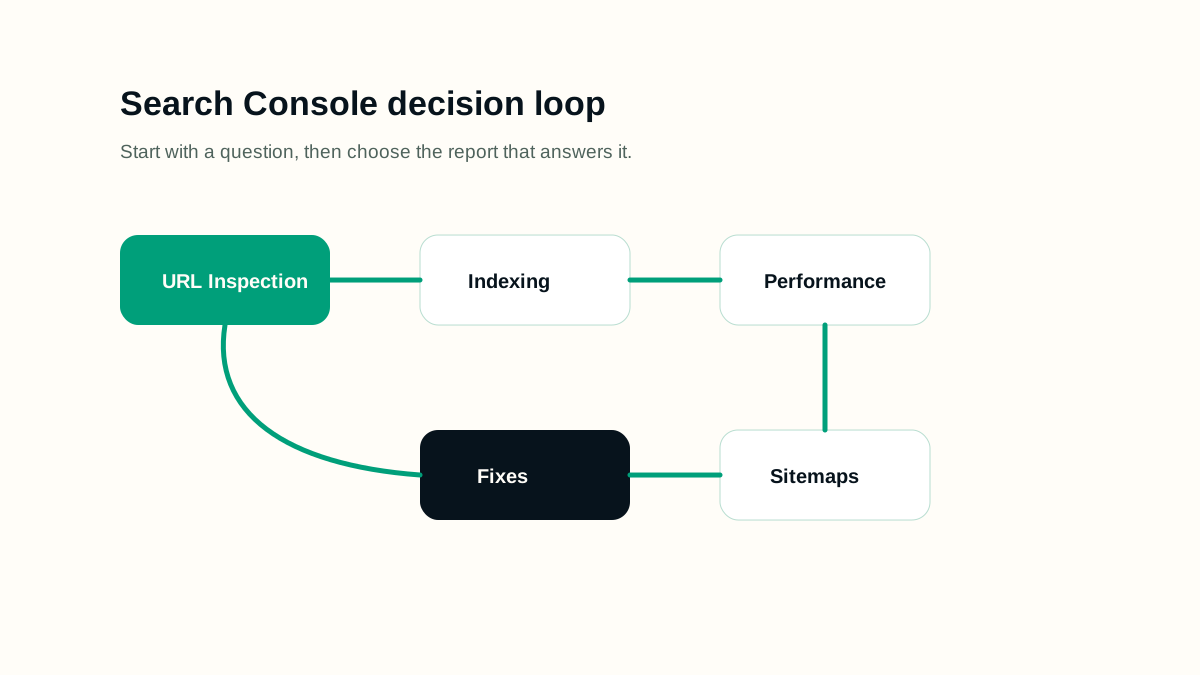
Practical workflow
- Correct property verify करें, including protocol, domain और subdomain coverage.
- Canonical sitemap submit करें और fetched successfully है या नहीं check करें।
- Publishing, redirects, canonical changes या noindex changes के बाद important pages पर URL Inspection use करें।
- Content rewrite decide करने से पहले Performance filters by page और query use करें।
- Page Indexing patterns से site-wide technical issues और one-off URL problems अलग करें।
- Validation या indexing request करने से पहले record करें कि क्या change हुआ।
Working example
मान लीजिए यह page real publishing queue के लिए तैयार हो रहा है। Editor के पास one URL, one primary intent, sitemap rule और follow-up date है। Google Search Console guide में useful work यह decide करना है कि launch से पहले क्या visible होना चाहिए, launch के बाद क्या measure होगा, और कौन से signals prove करेंगे कि page users की help कर रहा है, सिर्फ another URL add नहीं कर रहा।
- Final article से पहले page brief लिखें।
- Primary query group और reader का next action name करें।
- सिर्फ draft data नहीं, rendered page check करें।
- Verification date record करें ताकि later reporting में context रहे।
Implementation checklist
- Submitted sitemap सिर्फ canonical live URLs contain करे।
- Important pages internally linked हों, सिर्फ sitemap से submitted न हों।
- Need होने पर Performance reports page, query, country, device और date से filter करें।
- URL Inspection exact canonical URL पर करें, redirected या parameter version पर नहीं।
- Indexing exclusions को cause से group करके fixes prioritize करें।
- हर fix का verification step हो: live test, recrawl, validation या follow-up report check.
Decision rules
Decision rules work को honest रखते हैं। Rule page को SEO opinions के collection में बदलने से बचाता है और दूसरे reviewer के लिए review आसान करता है। Rule बताए कि evidence weak हो तो क्या करना है, page thin हो तो क्या करना है, signals conflict करें तो क्या करना है, और कब better data का wait करना safest है।
- अगर page clear reader need answer नहीं कर सकता, उसे indexable content की तरह publish न करें।
- अगर technical signal visible content से conflict करता है, visible content fix करें या signal remove करें।
- अगर section सिर्फ title को अलग words में repeat करता है, उसे example, checklist या caveat से replace करें।
- अगर change verify नहीं हो सकता, उसे completed fix की जगह editorial assumption mark करें।
- Future scheduled page को publish date से पहले public links और sitemaps से बाहर रखें।
Common mistakes
- Page और query set filter किए बिना average position पढ़ना।
- Underlying issue fix किए बिना बार-बार indexing request करना।
- Sitemap submission को indexing guarantee समझना।
- Fix worked या नहीं judge करते समय last crawl date ignore करना।
- On-site behavior के लिए Search Console को only analytics source मानना।
Measurement कैसे करें
Search Console work को इस बात से measure करें कि decisions clearer हो रहे हैं या नहीं। Useful weekly review rising impressions but weak clicks, declining query coverage, fixable exclusions, sitemap errors और recrawl pending changes identify करता है। Date-wise notes रखें ताकि impact और reporting delay अलग हो सके।
Release checklist
- Canonical URL, title, meta description, headings और language alternates confirm करें।
- Mobile और desktop पर page open करके spacing, tables, diagrams और code blocks check करें।
- Page sitemap में तभी appear करे जब वह live हो।
- Images में useful alt text हो और layout shift न create करें।
- Related guides से internal links destination page public होने के बाद add करें।
AI review prompt
इस prompt को real URL, draft या crawl export के साथ use करें। Output को review करके ही publish करें, क्योंकि SEO में context और business priority दोनों जरूरी होते हैं।
Search Console analyst की तरह काम करें.
Inputs: page URL, top queries, last 28 days vs previous 28 days, indexing status, sitemap status, last crawl date.
बताएं क्या बदला, क्या reporting noise है, कौन से fixes करने हैं और दो हफ्ते बाद क्या check करना है.
Final review
अच्छा SEO page सिर्फ keyword optimized नहीं होता। वह crawlable, useful, readable और honest होता है। Publish करने से पहले rendered page, snippet fields, internal links, indexability और reader action को साथ में check करें।
Page को तब revisit करें जब search intent बदले, product या platform बदले, Search Console नए query groups दिखाए, या users बार-बार clarification मांगें। Content refresh page को ज्यादा accurate और useful बनाए; यह cosmetic date change नहीं होना चाहिए।