Google Search Console is not a ranking dashboard. It is a diagnostic interface for how Google discovers, indexes, and shows your pages in Search. Use it to answer concrete questions: is this URL known, can Google fetch it, which queries show it, which pages are gaining impressions, which sitemap has errors, and whether a fix has been recrawled.
What this page must do
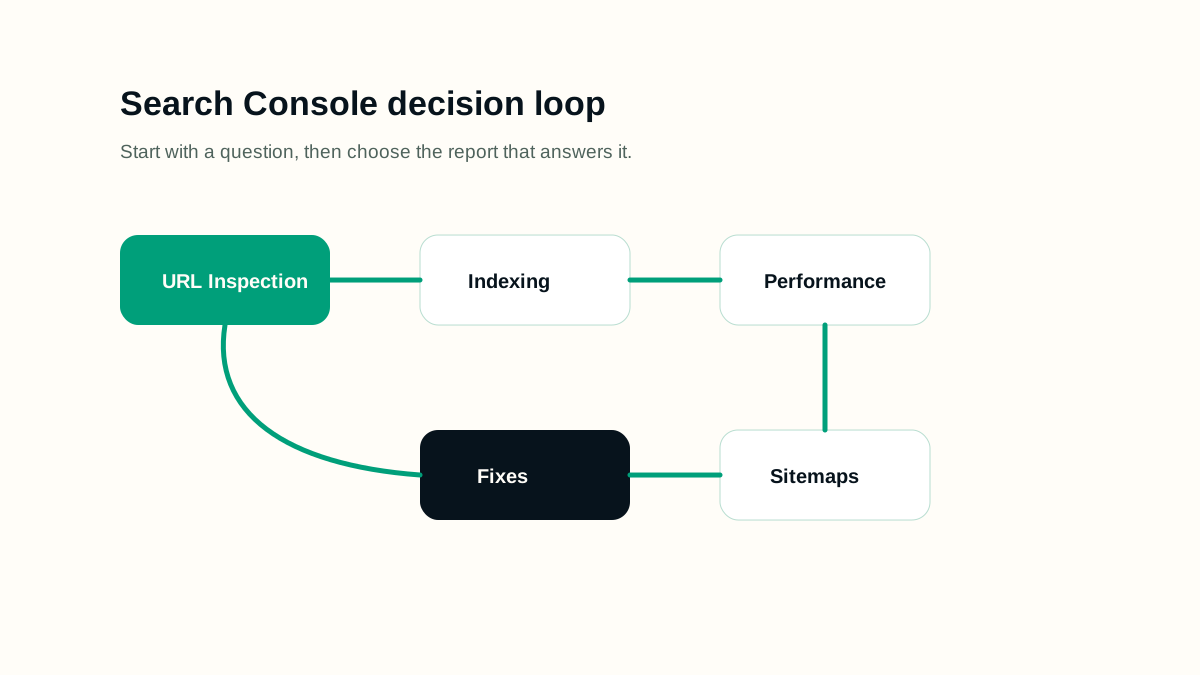
The fastest way to use Search Console is to start with a question, not a report. For a single URL, start with URL Inspection. For traffic direction, start with Performance. For broad indexing patterns, start with Page Indexing. For submitted URL hygiene, use Sitemaps. Reports can disagree temporarily because crawling, indexing, and reporting happen on different timelines, so record the date of every change and every check.
A practical workflow
- Verify the correct property, including protocol, domain, and subdomain coverage.
- Submit the canonical sitemap and check whether it is fetched successfully.
- Use URL Inspection for important pages after publishing, redirects, canonical changes, or noindex changes.
- Use Performance filters by page and query before deciding that content needs rewriting.
- Use Page Indexing patterns to separate site-wide technical issues from one-off URL problems.
- Record what changed before requesting validation or indexing again.
Working example
Imagine the page is being prepared for a real publishing queue. The editor has one URL, one primary intent, a sitemap rule, and a follow-up date. For google search console guide, the useful work is to decide what must be visible before launch, what can be measured after launch, and which signals would prove that the page is helping users instead of only adding another URL.
- Write the page brief before writing the final article.
- Name the primary query group and the reader's next action.
- Check the rendered page, not only the draft data.
- Record the verification date so later reporting has context.
Implementation checklist
- The submitted sitemap contains only canonical live URLs.
- Important pages are internally linked and not only submitted through the sitemap.
- Performance reports are filtered by page, query, country, device, and date when needed.
- URL Inspection checks the exact canonical URL, not a redirected or parameter version.
- Indexing exclusions are grouped by cause before fixes are prioritized.
- Every fix has a verification step: live test, recrawl, validation, or follow-up report check.
Decision rules
Use decision rules to keep the work honest. A rule prevents the page from becoming a collection of SEO opinions and makes the review easier for another person. The rule should explain what to do when evidence is weak, when a page is too thin, when a signal conflicts with another signal, and when the safest answer is to wait for better data.
- If the page cannot answer a clear reader need, do not publish it as indexable content.
- If the technical signal conflicts with visible content, fix the visible content or remove the signal.
- If a section only repeats the title in different words, replace it with an example, checklist, or caveat.
- If a change cannot be verified, mark it as an editorial assumption rather than a completed fix.
- If a future page is scheduled, keep it out of public links and sitemaps until the publish date.
Common mistakes
- Reading average position without filtering the page and query set.
- Requesting indexing repeatedly without fixing the underlying issue.
- Assuming a sitemap submission guarantees indexing.
- Ignoring the last crawl date when judging whether a fix worked.
- Using Search Console as the only analytics source for on-site behavior.
How to measure it
Measure Search Console work by whether decisions get clearer. A useful weekly review identifies pages with rising impressions but weak clicks, pages with declining query coverage, URLs excluded for fixable reasons, sitemap errors, and recent changes that still need recrawling. Keep notes by date so you can separate actual impact from reporting delay.
Release checklist
- Confirm the canonical URL, title, meta description, headings, and language alternates.
- Open the page on mobile and desktop to check spacing, tables, diagrams, and code blocks.
- Verify the page appears in the sitemap only when it is live.
- Check that images have useful alt text and do not create layout shift.
- Add internal links from related guides after the destination page is public.
AI review prompt
Use this prompt after you have a real URL, page draft, or crawl export. It is meant to produce fixes you can review, not automatic publishing decisions.
Act as a Search Console analyst.
Inputs: page URL, top queries, last 28 days vs previous 28 days, indexing status, sitemap status, last crawl date.
Explain what changed, what is only reporting noise, which fixes to make, and what to check again in two weeks.
Final review
A strong SEO page is not only optimized for a keyword. It is reachable, understandable, useful, and honest about what it can answer. Before publishing, check the rendered page, the snippet fields, internal links, indexability, and whether a reader can act without opening five more tabs.
Revisit the page when search intent changes, when the product or platform changes, when Search Console shows new query groups, or when users repeatedly need clarification. Refreshing content should make the page more accurate and useful; it should not be a cosmetic date change.